Your favorite anime,at cinema quality.
Ani4Ki remasters your favorite shows in real time — upscale, grade and sharpen, live on your own GPU. Nothing uploaded.
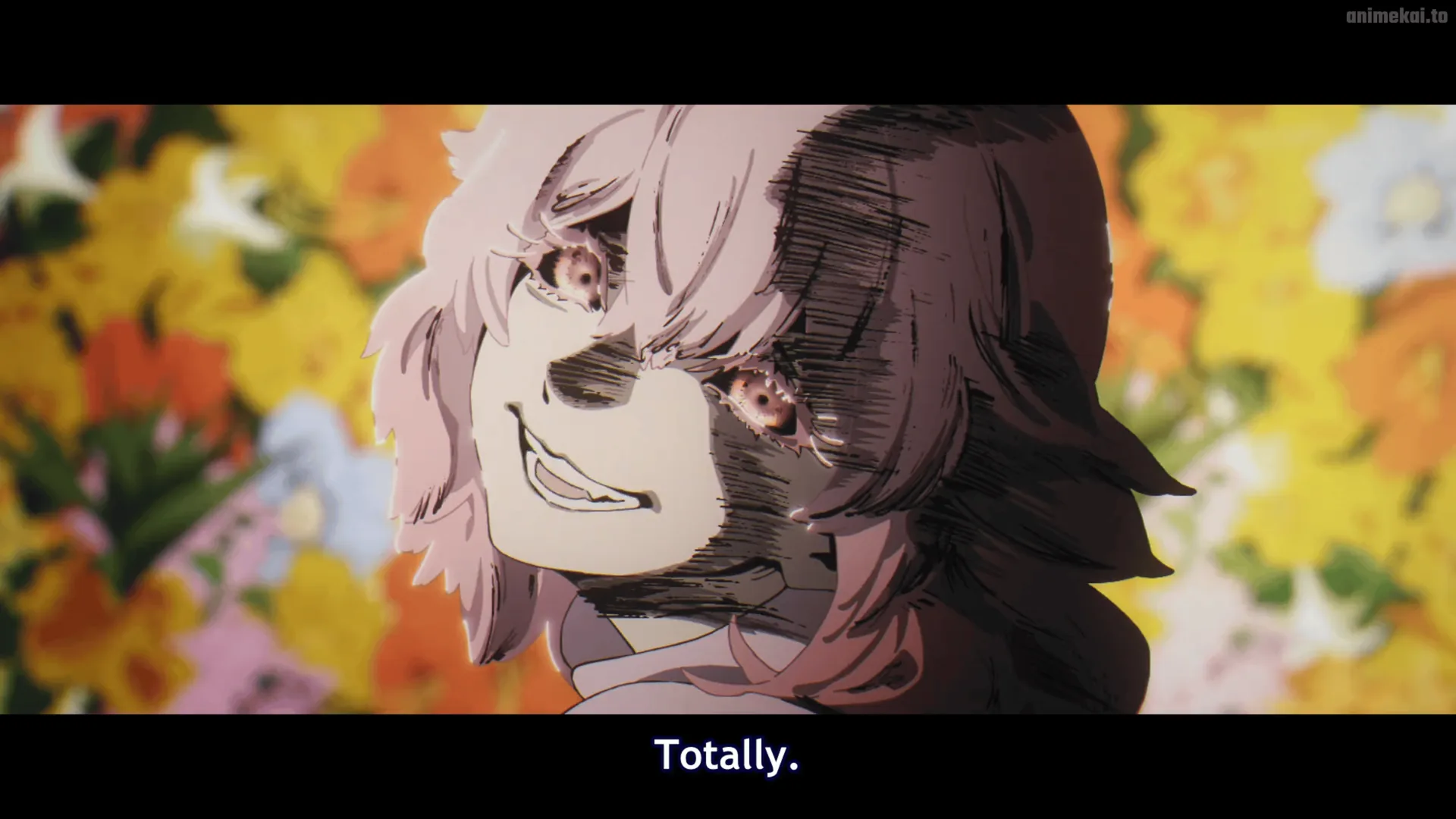
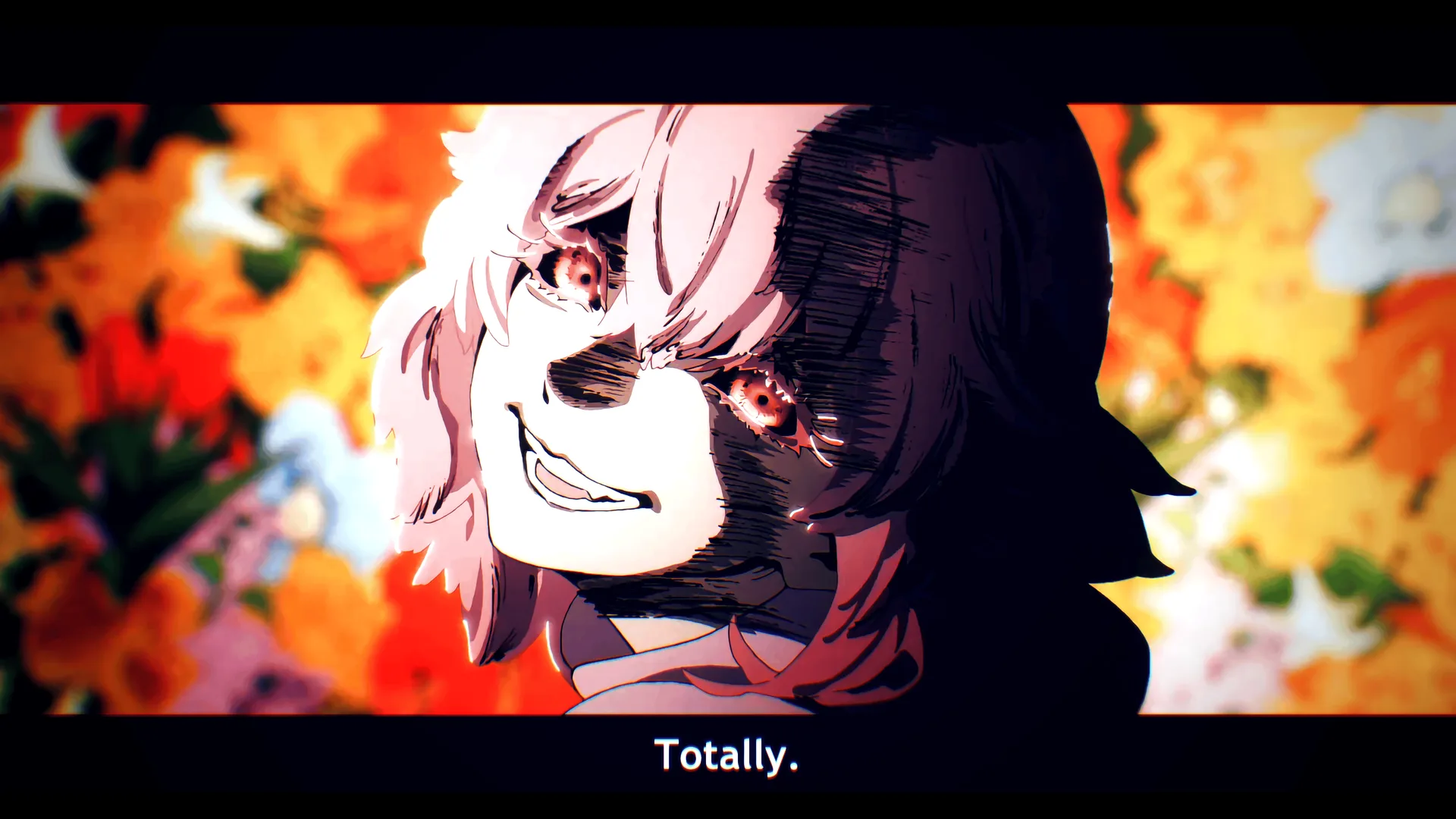 Before
Ani4Ki
Before
Ani4Ki
結果
See the difference.
Drag the divider on any frame. Arrow keys move between them. Every pair is a real capture — same episode, same moment, nothing staged.
仕組み
Install once.
Three steps, then you forget it's there — until you turn it off and can't go back.
Install
One click from the Chrome Web Store. The free tier needs no account, no card, nothing.
Hit play
Open Crunchyroll, HiDive, YouTube — anywhere you already watch. Ani4Ki wakes up automatically.
Pick your look
One of 10 curated presets, or build your own grade with 20+ sliders. Your show, your rules.
機能
Every tool you need.
Seventeen upscale tiers, ten graded presets and the full colourist toolkit — all running live on the frame you're already watching.
01Anime4K Upscaling — 17 Tiers GPU · Real-time›
From Simple to High-End A+, 17 quality tiers cover every GPU from a decade-old laptop to an RTX 4090. The algorithm was built for anime's hard ink lines — not photos, not generic video. Each frame is sharpened in real time on your graphics card, with no uploads and no lag.
- 17 upscaling modes — Simple through High-End A+
- Dedicated line-art shader keeps edges clean without haloing
- Auto quality ceiling — picks the best tier your GPU sustains at 60 fps
- Works on 480p originals up to 4K streams


0210 Cinematic Presets›
Ten hand-crafted looks you can apply in one click. Each is a full grade stack — upscaling, colour, tone, texture — dialled in so you don't have to touch a slider. Five are free, five are Plus.
- Vivid Anime — punchy saturation, crisp lines
- Cinema — desaturated highlights, lifted shadows, filmic contrast
- Warm Glow — amber skin tones, soft vignette, golden hour
- Clean & Sharp — neutral grade, maximum clarity
- Retro CRT — scanlines, phosphor bloom, barrel curve
- Blade Runner 49 · Plus — deep teal shadows, orange highlights
- Sin City · Plus — B&W with one colour left alive
- Matrix · Plus — cold green cast, digital noise
- 90s VHS · Plus — washed colours, tracking lines, chroma bleed
- Neon · Plus — crushed blacks, city-at-night energy
03Sin City Mode — Colour Isolation Plus›
Drain the whole frame to black & white, then bring back exactly one colour. Click anywhere on the video with the eyedropper and that hue stays alive — everything else disappears. The classic film trick, on every frame, in real time.
- Live eyedropper — sample any colour straight from the video
- Hue range dial controls how wide the isolated band is
- B&W base has its own luminance mix for the Kurosawa look
- Combine with grain or vignette for a full noir grade
04Professional Colour Suite Plus›
The toolkit colourists use in post-production, running live on your stream. Every tool affects individual tonal zones — shadows, midtones, highlights — so changes read exactly the way you intend.
- HSL per channel — hue, saturation and luminance for six colours
- Lift / Gamma / Gain — the industry-standard three-node wheel rig
- Filmic tone mapping — prevents blown highlights
- Technicolor simulation — the warm instability of classic cel transfers
- HDR simulation — expands perceived range on SDR screens
- LUT import (.cube) — drop in any industry-standard table
- Auto adaptive tone mapping — reads scene brightness per frame
対応
Works where you watch.
Tested across the most popular anime streaming sites and self-hosted players. Netflix, Disney+, Max and Amazon Prime use hardware-level Widevine DRM that blocks canvas access — that's a platform wall, not a bug. Everything else is fair game.
信頼
It runs on your machine.
That's not a policy. It's the architecture — there is no server to send anything to.
Nothing leaves your computer
Every frame is processed by your own GPU, in your own browser. No uploads, no servers, no cloud queue. We couldn't see what you're watching if we wanted to.
No account for the free tier
Install it and it works. No sign-up, no email, no card. A licence key only enters the picture if you choose to go Plus.
No tracking, no analytics
The extension doesn't phone home, doesn't log your viewing and doesn't sell anything about you. There's no data pipeline because there's no data.
価格
Start free.
One purchase, no ads, no data selling. The free tier is genuinely useful rather than a countdown to a paywall.
Free
€0
Forever. No card required.
- Anime4K upscaling
- 5 curated presets
- Before / after compare slider
- Community preset downloads
- Full slider access
- Custom preset save / export
- LUT import
- Kurosawa / HSL / LGG grading
- CRT, VHS, filmic & HDR modes
- Snapshot & screen record
Plus
€4.99/mo
or €29.99 once — lifetime access.
- Everything in Free
- Full access to all 20+ sliders
- 5 exclusive Plus presets
- Custom preset save & export
- LUT file import (.cube)
- Kurosawa colour isolation picker
- HSL colour wheels per channel
- Lift / Gamma / Gain grading
- Filmic tone mapping engine
- HDR simulation · Technicolor
- CRT & VHS effect modes
- Deband, grain, chroma aberration
- Auto-adaptive tone mapping
- Snapshot & screen record
- Community preset marketplace
質問
Questions.
Will it slow down my browser or stutter my video?
It shouldn't. The work happens on your GPU, which is idle during video playback anyway, and a built-in benchmark measures your hardware on first run and picks a setting it can actually hold. If your machine is modest, Performance Mode caps the heavy work — it's on by default. And you can turn everything off with one click, mid-episode.
Does it work on Netflix, Disney+ or Max?
No — and that's a wall we can't climb. Those services use hardware-level Widevine DRM, which keeps video frames in a protected path no browser extension can read. That's a platform restriction, not a bug. Crunchyroll, HiDive, YouTube, Plex, Jellyfin and plenty more work fine.
What does it access? Is my viewing private?
The extension reads the video element on the page you're watching so it can draw an improved version over it. Everything happens locally, in your browser, on your GPU. Nothing is uploaded, nothing is logged, and there's no analytics.
Do I need an expensive GPU?
No. There are 17 quality tiers, from very light to very heavy, and the first-run benchmark picks the heaviest one your machine holds comfortably. Integrated graphics get a lighter tier and still see a real difference.
Can this get my streaming account banned?
It doesn't touch your account, your subscription, or the service's servers. It changes how the video looks on your screen, locally — closer to adjusting your monitor than to modifying the service. It doesn't download, record or redistribute anything.
Which browsers does it support?
Any Chromium browser — Chrome, Edge, Brave, Opera and Opera GX, on Windows, macOS and Linux. Firefox and Safari aren't supported: they don't offer the same GPU access an extension needs for this.
Ready to see the difference?
Chrome Web Store listing coming soon. Early access is open — drop us a line and we'll send you the build today.
Ani4Ki Steam
The same remaster engine, as a standalone player for the anime you already own. Plays your local files and your Plex or Jellyfin library, with the full grading suite on top — built for the couch rather than the browser tab. Ships with the community preset catalogue.
